
AI Business Card Printing Guide
AI-Generated Business Card Printing Guide
AI tools can create attractive business card designs in seconds, but many AI-generated files are not ready for professional printing. The most common issues are wrong size, missing bleed, tiny text, poor margins, and artwork that looks good on screen but does not print well.
Quick Answer: What We Need
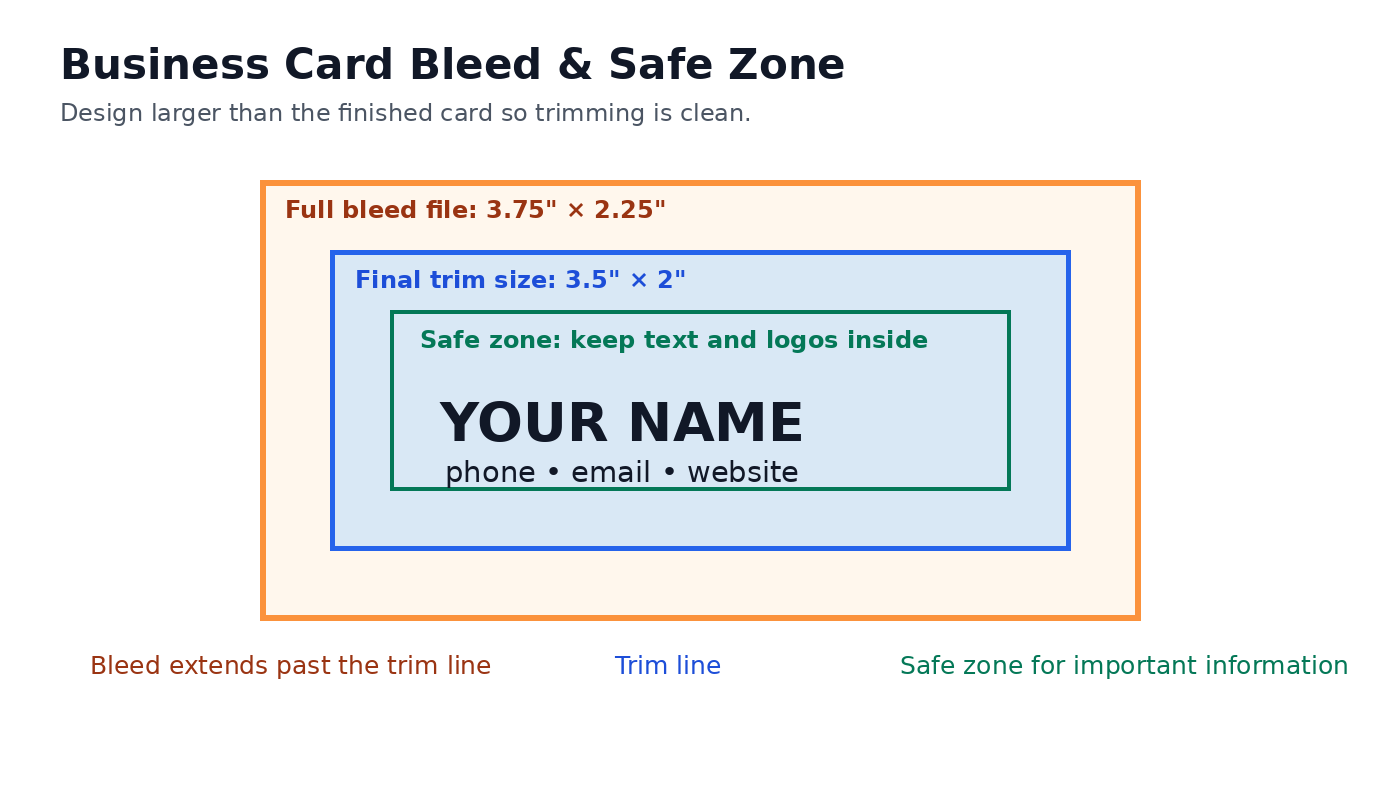
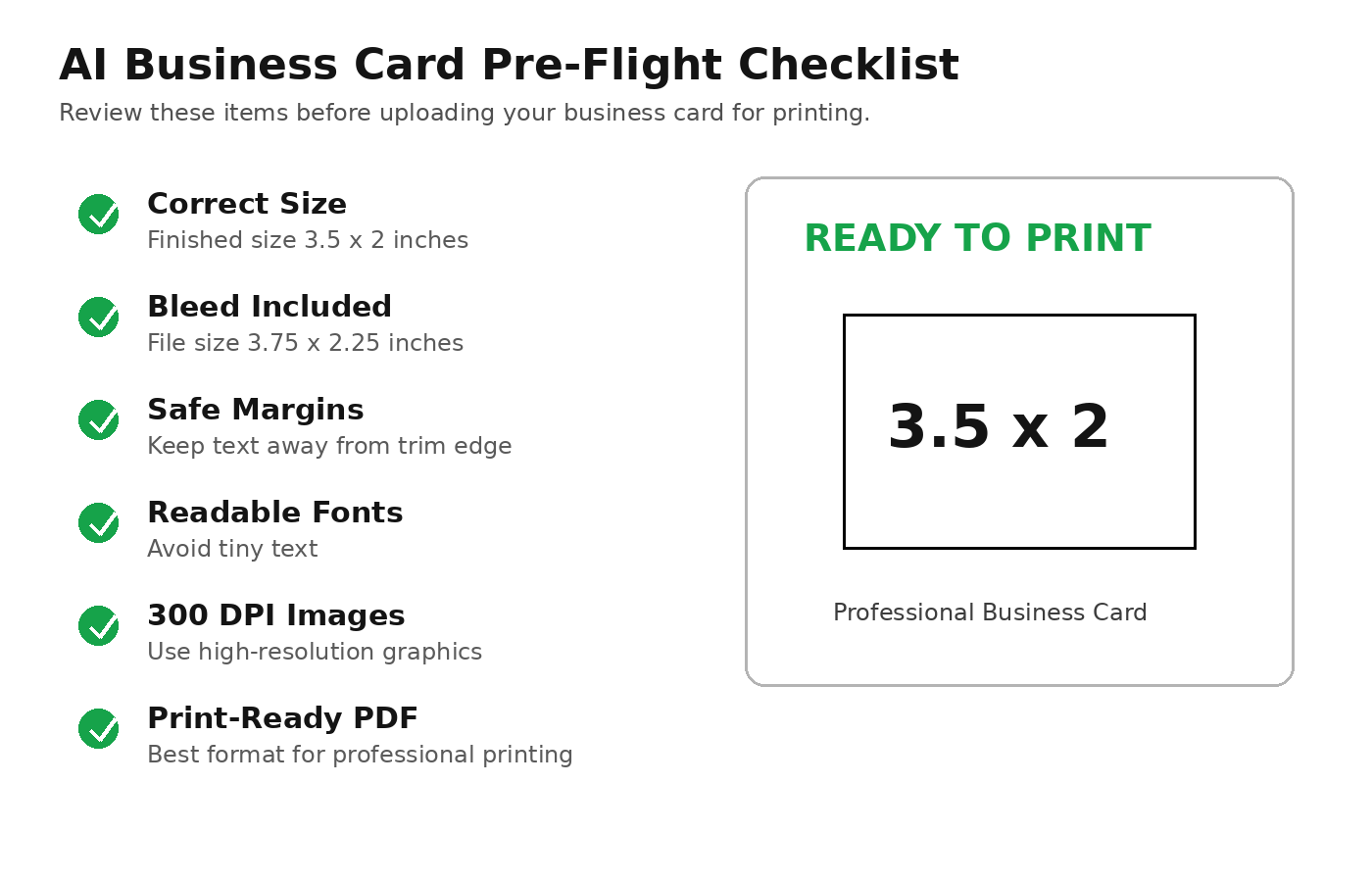
- Finished size: 3.5" × 2"
- Full bleed file size: 3.75" × 2.25"
- Bleed: 0.125" on all sides
- Resolution: 300 dpi preferred
- Text: large enough to read at actual printed size
- Format: high-resolution PDF preferred
Common Problems With AI Business Card Files
AI-generated cards often look polished on a monitor, but the file may still be difficult or impossible to print properly.
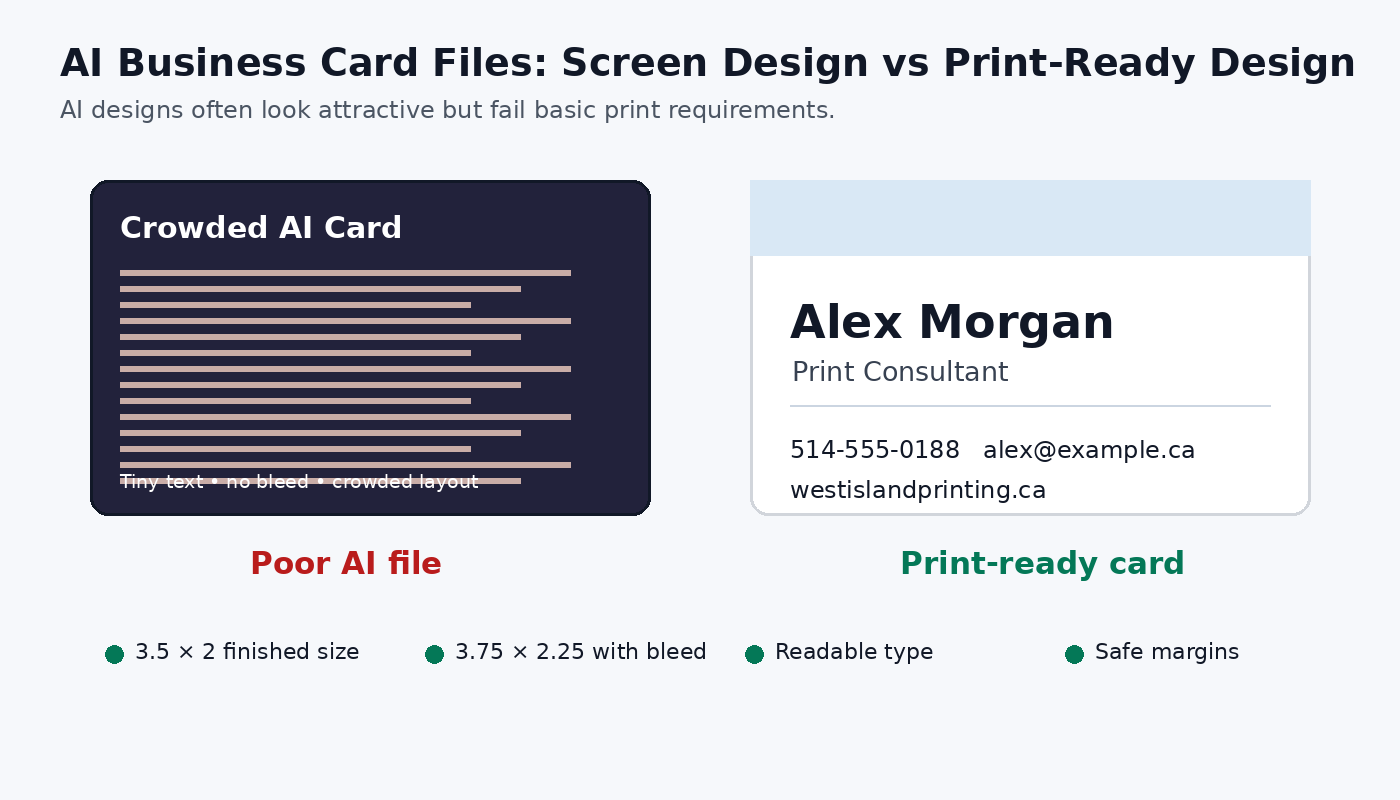
- The file is not set up as a standard 3.5" × 2" business card
- The file does not include bleed
- Text or logos are too close to the trim edge
- Fonts are too small to read comfortably
- The card contains too much information
- There is not enough contrast between text and background
Correct Business Card Size and Bleed
If your card has a background colour, photo, pattern, or graphic that goes to the edge, the artwork must extend into the bleed area. Without bleed, trimming can leave unwanted white edges.
Readable Text Is More Important Than Decoration
One of the biggest problems with AI-generated business cards is tiny text. AI tools often try to fit too much information on the card by shrinking the type.
As a general guideline:
- Name: 10–14 pt
- Job title: 8–11 pt
- Phone number: 8–10 pt
- Email address: 8–10 pt
- Website: 8–10 pt
If the card needs very small text to fit everything, the design probably contains too much information.
Before You Upload: Pre-Flight Checklist
Prompt to Fix an AI-Generated Business Card
Copy and paste this prompt into ChatGPT, Claude, Gemini, Canva AI, or another AI design tool:
Please redesign my business card so it is professionally printable. The finished size must be 3.5" × 2". Include 0.125" bleed on all sides, making the final document size 3.75" × 2.25". Keep all important text and logos safely inside the trim edge. Use font sizes that are easy to read when printed. Do not make text tiny to fit more information. Prioritize readability over decoration. Ensure good contrast between text and background. Export the final file as a high-resolution PDF suitable for commercial printing.
Choose the Right Business Card Product
Once your file is ready, choose the business card product that best fits your timeline and finish:
Need Help Checking Your AI File?
If you are not sure whether your AI-generated business card is ready to print, send us your artwork before ordering. We can review the file and let you know if there are issues with size, bleed, margins, readability, or file quality.
West Island Printing can help turn your AI-generated business card into a properly prepared, professional printed card.
